
Quick answer
Display P3 CSS color uses color(display-p3 r g b) to specify RGB coordinates in a gamut that includes sRGB and extends beyond it. Keep an intentional sRGB fallback, then use @supports to check the color syntax and the color-gamut media feature to check the reported output capability. A clipped HEX fallback is an approximation when the original color lies outside sRGB.
A vivid orange accent arrives as color(display-p3 1 0.4 0). The stylesheet also needs a version for an sRGB screen. Changing the color-space label or turning the three numbers straight into HEX will not preserve the original color. The handoff needs two intentional values and a clear rule for choosing between them.
This example adds a small decorative accent to a page. You will check the original color in Hue Codex, keep its fallback separately, and write a CSS enhancement that considers both syntax support and output gamut. The accent carries no text or status meaning, so the example stays focused on color delivery.
1. Read Display P3 CSS color as coordinates in a named space
The display-p3 identifier in color() tells the browser how to interpret the red, green, and blue numbers that follow it. For an in-gamut Display P3 color, those components lie between 0 and 1. Display P3 has a larger gamut than sRGB, so some colors it can represent have no exact sRGB equivalent.
Our source is color(display-p3 1 0.4 0), with full red, 0.4 green, and zero blue in Display P3. Omitting the optional alpha component makes it opaque. The same numbers in color(srgb 1 0.4 0) describe an sRGB orange, equivalent to #FF6600, rather than a conversion of the P3 source.
| Value | Meaning |
|---|---|
| color(display-p3 1 0.4 0) | The authored wide-gamut orange. |
| color(srgb 1 0.4 0), or #FF6600 | The same numeric channels interpreted in sRGB; a different color. |
| #FF5700 | The channel-clipped sRGB fallback produced by Hue Codex for the P3 source. |
Treat the space name as part of the value. A list containing only three numbers loses information the next person needs to interpret the color correctly. Keep the complete CSS expression in design notes and exports.
2. Check the authored color before choosing its fallback
Open the Gamut Checker and enter color(display-p3 1 0.4 0) in Color. Choose Wide-gamut awareness under Audit focus, then JSON data under Export. The result identifies the source as Display P3, reports Outside gamut for sRGB, and reports Contained for Display P3 containment.
The same report gives #FF5700 as the fallback and labels the method Channel-clipped sRGB fallback. Enter #FF5700 separately to confirm that the fallback itself is in sRGB. Keep the original report before replacing the input, because checking only the fallback would no longer tell you where the P3 source fits.
An independent conversion of the source to extended sRGB gives approximately 1.08131, 0.34306, and −0.19004. The red channel exceeds 1 and blue is below 0. Clamping those channels to the sRGB range, then rounding to 8-bit values, produces 255, 87, 0: #FF5700. This explains the fallback without pretending it is the same color.
Channel clipping is not a perceptual gamut-mapping method or a guarantee of the best visual match. Review this fallback as a candidate, and choose another in-gamut value if the design needs it. The Gamut and Print Methodology explains the calculation and why coordinate containment is separate from predicting a particular display.
3. Put the sRGB value first and gate the P3 enhancement
The following CSS is a tested starting pattern for an element with class brand-accent. It draws a decorative rounded strip using the fallback first. A later rule changes the background only when the browser supports the P3 declaration and reports approximately P3 output capability or better.
.brand-accent {
  inline-size: 8rem;
  block-size: 1rem;
  border-radius: 0.5rem;
  background-color: #FF5700;
}

@supports (background-color: color(display-p3 1 0.4 0)) {
  @media (color-gamut: p3) {
    .brand-accent {
      background-color: color(display-p3 1 0.4 0);
    }
  }
}
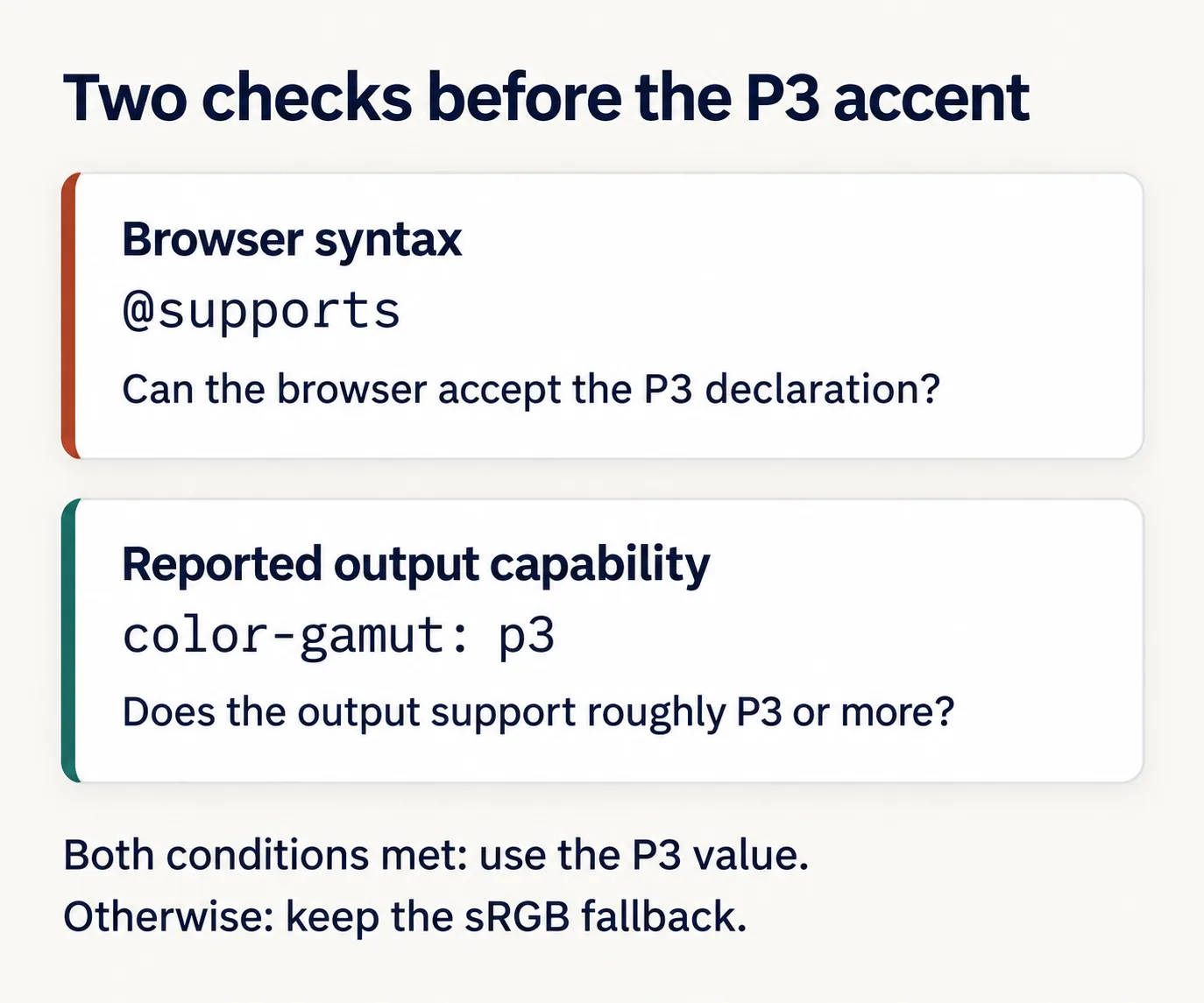
The @supports condition asks whether the browser accepts that property/value combination. It does not measure the screen. The color-gamut media query describes the approximate gamut supported by the browser and output device. Keeping those checks separate makes the enhancement policy easier to inspect.
| P3 declaration supported? | P3 gamut reported? | Selected value |
|---|---|---|
| No | Either result | #FF5700 fallback. |
| Yes | No | #FF5700 fallback. |
| Yes | Yes | color(display-p3 1 0.4 0). |
This is an explicit choice to offer the P3 version only to the reported wider-gamut output. The media query is not mandatory for every valid use of color(); it is useful here because the design calls for an authored sRGB fallback instead of delegating that choice to the output rendering path.
4. Test the rule selection and the appearance separately
Inspect the accent in browser developer tools. With the P3 media condition unmatched, its background should come from the base HEX declaration. With syntax support and the P3 condition both satisfied, the later declaration should win. Test with the rest of the stylesheet loaded so an unrelated rule cannot silently override the result.
- Confirm that the fallback remains visible with the enhancement removed or its media condition unmatched.
- Use media-feature emulation, where available, to exercise both branches. This checks CSS selection; it does not turn the monitor into a P3 display.
- Review the enhanced version on a suitable color-managed display when appearance matters. Keep a record of which environment was actually used.
- Check exported images and screenshots as their own artifacts. Do not assume a screenshot preserves the P3 color or proves how another display will render it.
If you later use these colors behind text, on controls, or to communicate a state, review those foreground/background pairs and cues separately. The gamut result establishes where a color fits, not whether the finished interface is readable or understandable.
Questions about P3 fallbacks
Can a six-digit HEX code store this exact P3 orange?
No. A six-digit HEX color is an sRGB value, and this particular P3 orange lies outside that gamut. #FF5700 is the checked clipped fallback, not an exact alternate spelling of the source.
Why does the browser accept P3 when color-gamut: p3 is false?
Understanding the syntax and reporting a wide-gamut output are separate capabilities. The browser can accept the declaration while the output environment does not report approximately P3 gamut. This example retains its explicit fallback in that case.
Does writing an sRGB color in P3 notation make it more vivid?
A correct conversion changes coordinates while preserving the color. Merely switching the space label while keeping the numbers can change the color instead. Choose a wider-gamut color deliberately rather than treating a notation change as an enhancement.
Keep both values in the handoff
Save the original P3 expression, the chosen sRGB fallback, and the rule that selects between them. Add whether the fallback came from clipping or a separate design decision, plus the environments you reviewed. That record lets the next developer preserve the intended enhancement without losing the dependable base color.
Spot an issue or want a color topic covered?Send a correction or request a post.