Methodology
Image sampling, palette extraction, and duotone processing
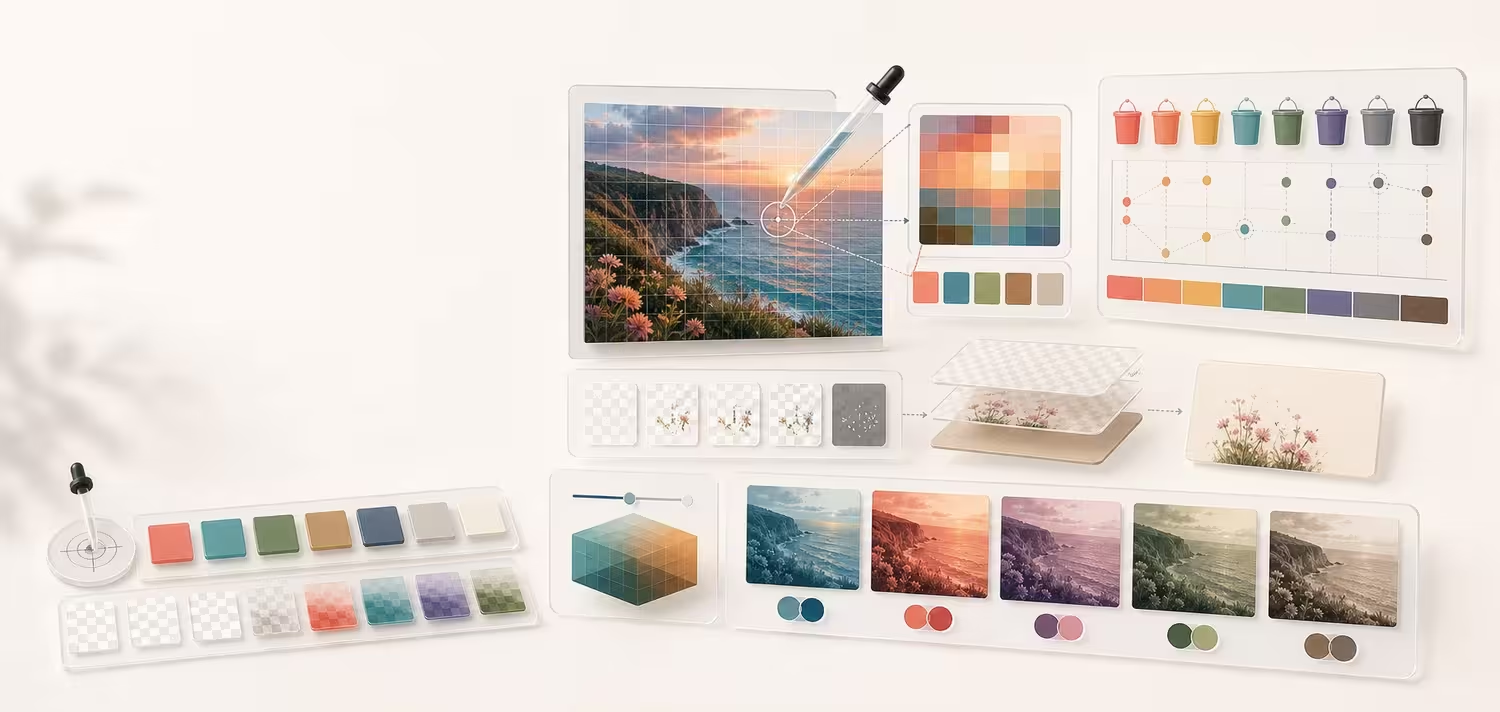
Hue Codex image tools run in the browser. They use canvas pixels for sampling, extraction, and duotone rendering, with privacy and approximation caveats made visible.
Short answer
Hue Codex processes user images locally in browser canvas, samples exact or averaged pixels, extracts palettes through coarse bucket aggregation followed by deterministic weighted OKLab centroid refinement, and renders duotone PNG output from canvas pixels.
- Selected image files are not uploaded or sent to Hue Codex servers; they are read into the browser and processed locally by canvas APIs.
- That image-file claim does not mean the entire page makes no network requests; ordinary page requests, scripts, fonts, analytics, or external assets are governed by the site privacy policy and should not receive selected image file contents.
- Eyedropper samples can use exact pixels or averaged sample windows depending on the selected sample size.
- Image palette extraction skips mostly transparent pixels and composites partial transparency over the Hue Codex paper color, #FBFAF5 (RGB 251, 250, 245).
- Every accepted sample contributes to a final perceptual cluster; role suggestions select unmodified final cluster centroids and do not recolor the source palette. A centroid is a weighted average and may not match one literal source pixel.
- Extracted image palettes are starting-point palettes for production review and should be refined against the final brand, UI, accessibility, and content context.
- Duotone processing maps source luminance into a shadow-to-highlight ramp, with intensity, contrast, and midtone controls.
Standards status
These badges identify which parts of this methodology are standards-backed, draft-track, source-origin references, Hue Codex-specific, approximate, or dependent on browser behavior.
Formulas, choices, heuristics, and limits
This separates standards-based formulas from Hue Codex implementation decisions, product heuristics, and known limitations for this methodology.
Standards-based formulas
Formula, threshold, syntax, or data behavior taken from a cited standard. Primary and model sources can inform implementation, but they are not automatically standards.
- WCAG contrast math can be applied after sampled or extracted colors are resolved.
- CSS color conversion context supports the reported HEX, RGB, HSL, and OKLCH values.
Implementation choices
How Hue Codex chooses to parse, normalize, round, export, or sequence calculations.
- Images are processed locally in browser canvas when browser security rules allow pixel access.
- Selected image files for Image Eyedropper, Image Palette Extractor, and Duotone Generator are not uploaded or sent to Hue Codex servers.
- Hue Codex requests ordinary 2D canvas contexts with willReadFrequently enabled and does not request display-p3 or other explicit canvas color-space settings.
- Canvas pixel channels returned by getImageData() are treated as encoded sRGB-style 0-255 RGBA values for HEX, palette, contrast, and duotone calculations.
- Image Eyedropper maps pointer coordinates from CSS pixels to intrinsic canvas pixels, then to browser-decoded source-image pixels using the drawn-image bounds.
- Mostly transparent pixels are skipped and partial alpha is composited over the Hue Codex paper color, #FBFAF5 (RGB 251, 250, 245), before bucketing.
- Duotone PNG export renders from canvas pixels at source dimensions when available.
Hue Codex heuristics
Product rankings, bands, labels, suggestions, or role hints that are useful guidance but not external standards.
- Palette seed ranking, focus score, neutral merging, Delta E diversity thresholds, weighted OKLab refinement, and source-derived role selection are Hue Codex heuristics.
- Duotone recommendations and overlay-text guidance are product review hints.
Known limitations
Caveats, edge cases, browser dependencies, approximations, or contexts the method does not prove.
- Canvas pixels, image decoding, color management, and cross-origin rules are browser-dependent.
- Hue Codex samples the browser-converted canvas pixel buffer, not original embedded ICC profile values, raw Display P3 pixels, or a profile-aware color-managed source representation.
- Hue Codex does not parse EXIF orientation itself; source coordinates refer to the browser-decoded image orientation and canvas draw result.
- Extracted image palettes are starting-point palettes for design review, not finished production color systems.
- Palette extraction is approximate and depends on sampling quality, compression artifacts, and image content.
- CSS duotone output is an approximation and may not match exported PNG pixels.
Representative automated fixture coverage
Hue Codex imports versioned JSON fixtures and tests the corresponding pure production functions directly. The groups below are the representative regression evidence most relevant to this methodology.
- Image-sampling fixtures: Known RGBA pixel grids, coordinate bounds, alpha handling, averages, and deterministic samples. View the JSON fixtures.
- Export fixtures: Displayed-versus-exported values, parseable CSS and JSON, and safe allowlisted SVG output. View the JSON fixtures.
What a pass means. A passing group confirms the named vectors and tested properties still match the documented implementation. It does not prove every possible input, final browser rendering, full accessibility conformance, profile-aware print output, or every downstream export consumer.
Local processing and privacy
Selected image files are not uploaded or sent to Hue Codex servers. Image Eyedropper, Image Palette Extractor, and Duotone Generator load the user-selected file in the browser, draw it to canvas, and calculate samples, palettes, previews, and PNG downloads from browser-held pixel data.
This claim covers the selected image file used by the image tools; ordinary page requests, analytics, fonts, scripts, or external assets are governed by the site privacy policy and should not receive image file contents.
Browser limitations, cross-origin image rules, and user-selected files still determine whether canvas pixel data can be read.
| Step | What happens |
|---|---|
| File selection | The tool reads the selected local file through the browser file input workflow and creates a local object URL. |
| Image decoding | The browser decodes the image locally and draws it into a canvas preview or source canvas. |
| Pixel access | Hue Codex reads canvas pixels with getImageData() for eyedropper samples, palette extraction, and duotone processing. |
| PNG export | Duotone PNG download is generated in the browser with canvas.toBlob() and a temporary object URL. |
| Network behavior | The selected image file is not posted, uploaded, or sent to a Hue Codex server by these tools. |
Canvas color behavior
Hue Codex samples the pixels returned by the browser canvas, not the original file bytes or an embedded-profile color-managed source representation. The image tools create 2D canvas contexts with willReadFrequently enabled and do not pass a colorSpace option such as display-p3.
Because Hue Codex does not request a wide-gamut canvas, sampled channels are treated as encoded sRGB-style RGBA values in the 0..255 range. HEX, RGB, HSL, OKLCH, contrast, palette buckets, and duotone math are derived from those returned channel values.
If a browser decodes an ICC-profiled image, wide-gamut image, EXIF-oriented image, or compressed image differently before drawing it to canvas, Hue Codex reports the browser-converted canvas pixels. The image tools do not preserve Display P3 source coordinates, expose raw profile values, or perform profile-aware conversion.
| Question | Hue Codex behavior |
|---|---|
| Canvas context request | Uses getContext("2d", { willReadFrequently: true }); no display-p3 or custom colorSpace option is requested. |
| Pixel source | Uses getImageData() from the browser-drawn canvas after image decoding, resizing, orientation handling, and browser color handling. |
| Reported color space | Treats returned R, G, and B channels as encoded sRGB-style 0..255 values and serializes visible samples to HEX/RGB-derived formats. |
| Display P3 or wide-gamut images | Not sampled as raw Display P3 coordinates. Any conversion into the canvas pixel buffer is browser behavior. |
| ICC/profile-aware conversion | Not performed by Hue Codex image tools. Use a color-managed imaging workflow for profile-accurate source values. |
| Reproducibility scope | Exact vectors are reproducible once canvas pixels are known; browser image decoding and canvas color handling can still affect real uploaded images. |
Coordinate mapping
Image Eyedropper converts the pointer location from viewport CSS pixels to the canvas backing-store coordinate system, then maps that point into the contained image bounds and finally to a browser-decoded source-image pixel.
Hue Codex does not multiply pointer coordinates by devicePixelRatio directly. It uses the ratio between the intrinsic canvas size and the rendered CSS box, so CSS scaling is handled by canvas.width / rect.width and canvas.height / rect.height.
Source coordinates are nearest source pixels after browser image decoding and drawImage() behavior. Hue Codex does not parse EXIF orientation itself, so coordinates follow the image orientation and pixel data exposed by the browser-rendered canvas.
rect = canvas.getBoundingClientRect()
canvasX = (event.clientX - rect.left) * (canvas.width / rect.width)
canvasY = (event.clientY - rect.top) * (canvas.height / rect.height)

if canvasX < bounds.x or canvasX > bounds.x + bounds.width:
  return no_sample
if canvasY < bounds.y or canvasY > bounds.y + bounds.height:
  return no_sample

normalizedX = (canvasX - bounds.x) / bounds.width
normalizedY = (canvasY - bounds.y) / bounds.height
sourceX = round(clamp(normalizedX * (sourceWidth - 1), 0, sourceWidth - 1))
sourceY = round(clamp(normalizedY * (sourceHeight - 1), 0, sourceHeight - 1))| Step | Formula or behavior |
|---|---|
| CSS pointer to canvas pixel | canvasX = (clientX - rect.left) * (canvas.width / rect.width); canvasY = (clientY - rect.top) * (canvas.height / rect.height). |
| Device pixel ratio | No explicit devicePixelRatio multiplier is applied; the canvas-to-CSS ratio handles scaling between the DOM box and the intrinsic preview canvas size used by that tool. |
| Image Eyedropper implementation note | The current Image Eyedropper preview canvas is 900x520 intrinsic pixels. Other image tools or future responsive canvases should use their own intrinsic canvas size with the same canvas-to-CSS ratio formula. |
| Contained image bounds | The preview uses scale = min(canvas.width / naturalWidth, canvas.height / naturalHeight), then centers the drawn image. The paper-colored letterbox area is outside the source image. |
| Edge handling | Pointer positions outside the drawn-image bounds return no sample. The right and bottom drawn-image edges are accepted, then clamped to the last source pixel. |
| Canvas to source pixel | sourceX = round(clamp(((canvasX - bounds.x) / bounds.width) * (sourceWidth - 1), 0, sourceWidth - 1)); sourceY uses the same formula. |
| Sample window | Exact mode samples 1x1. The 3x3 and 5x5 modes use radius = floor(sampleSize / 2); sample-window edges are clamped to the source image. |
| EXIF orientation | Hue Codex does not parse EXIF orientation; coordinates follow the browser-decoded image and drawImage() result, not the raw file pixel matrix. |
Eyedropper sampling
Image Eyedropper maps pointer coordinates to the rendered image canvas, reads the selected pixel area, and returns HEX, RGB, HSL, OKLCH, contrast, and export metadata.
A sample size of one pixel reports the exact canvas pixel. Larger sample sizes average nearby pixels and can smooth JPEG artifacts, antialiasing, and texture noise.
Palette extraction
Image Palette Extractor scans the sampled canvas at a quality-dependent pixel step. Pixels with alpha below 0.5 are skipped. Partially transparent pixels are composited over the Hue Codex paper color, #FBFAF5 (RGB 251, 250, 245), before bucketing.
Colors first enter deterministic rounded RGB buckets, with optional neutral merging. Those coarse buckets are converted to OKLab, ranked for the selected focus, used as deterministic starting centroids, and refined through weighted nearest-centroid assignment. Every sampled bucket contributes its count to a final cluster, so displayed coverage describes the final palette rather than only the initial seed buckets.
Image Palette Extractor does not reject a source merely because it exceeds 20 megapixels. Once the browser decodes a selected file, the tool immediately creates a bounded local working copy whose longest edge matches the highest supported extraction-quality input, reports both original and analysis dimensions, and releases the full-resolution image reference instead of retaining it for later palette renders.
The role shortlist does not generate or repair colors. It assigns four distinct, unmodified final cluster centroids to Surface, Text, Primary, and Secondary; derives higher-contrast black or white action foregrounds; and reports the five pairings shown in the specimen. A final centroid is source-derived because it is a weighted average of assigned source buckets, but it is not guaranteed to equal one literal source pixel. The resulting palette is evidence-backed source material, not a finished brand or design system.
When no unique source-only assignment passes all five shown pair contracts, Hue Codex preserves the colors, labels the role set incomplete, exposes every ratio through the role inspector, and offers recovery through UI-focused extraction, additional swatches, or a handoff to Palette Generator for deliberate fitting. The extractor never silently changes source-derived colors to force a pass.
Custom SVG and PNG palette cards are rendered from the derived swatches and supported settings. Layout, theme, value format, scale, branding, edit link, QR code, role labels, token names, and pair-specific accessibility notes can be changed independently. The local source image is not embedded, and an exact edit link restores supported settings and derived colors rather than source pixels or the local filename.
| Pixel alpha | Behavior |
|---|---|
| alpha < 0.5 | Skip the pixel; it does not create or update a bucket. |
| 0.5 <= alpha < 1 | Composite encoded RGB channels over Hue Codex paper #FBFAF5 (RGB 251, 250, 245), then bucket the resulting opaque RGB value. |
| alpha = 1 | Use the canvas RGB channels directly. |
Palette extraction parameters
The selected image is decoded by the browser, drawn to a sample canvas, then scanned at the pixel step for the chosen quality mode. The sample canvas longest side is capped by max dimension before scanning, so browser decoding and image resizing can affect the exact pixel stream.
Bucket keys are deterministic. For non-neutral buckets, each composited RGB channel is rounded to the nearest multiple of the quality bucket size, then clamped to 0..255. When neutral merging is enabled and channel spread is within the neutral threshold, Hue Codex uses one neutral key based on midpoint lightness instead of three separate RGB channel keys.
Weighted OKLab refinement is also deterministic. Quick uses three centroid updates, Balanced uses four, and Detailed uses five. Hue Codex always runs that fixed iteration count; it does not use an early-stop convergence test. Assignment ties keep the first centroid because a later centroid replaces the current choice only when its squared OKLab distance is strictly smaller. An empty cluster retains its prior centroid. Final centroids are converted to clamped, rounded sRGB channels for display. Final coverage is the assigned sample count divided by all accepted samples; average fit is the count-weighted Delta E 76 distance between coarse bucket representatives and their assigned final centroids.
# Partial alpha pixels are composited over Hue Codex paper #FBFAF5 first.
r = round(r * alpha + 251 * (1 - alpha))
g = round(g * alpha + 250 * (1 - alpha))
b = round(b * alpha + 245 * (1 - alpha))

spread = max(r,g,b) - min(r,g,b)
midpoint = (max(r,g,b) + min(r,g,b)) / 2

if merge_neutrals and spread <= quality.neutralSpread:
  key = "neutral-" + round(midpoint / quality.neutralStep) * quality.neutralStep
else:
  key = clamp(round(r / quality.bucketSize) * quality.bucketSize, 0, 255),
        clamp(round(g / quality.bucketSize) * quality.bucketSize, 0, 255),
        clamp(round(b / quality.bucketSize) * quality.bucketSize, 0, 255)

coverage = min(100, entry.coveragePercent * 7)
lightness = entry.oklch.l * 100
middleLightness = 100 - abs(lightness - 54)
surfaceBonus = entry.isNeutral and lightness >= 82 ? 30 : 0
inkBonus = entry.isNeutral and lightness <= 24 ? 30 : 0
accentBonus = entry.oklch.c >= 0.09 and 30 <= lightness <= 76 ? 22 : 0

dominant = coverage*1.45 + entry.oklch.c*70
balanced = coverage*0.82 + entry.oklch.c*210 + middleLightness*0.25
vivid = coverage*0.48 + entry.oklch.c*520 + middleLightness*0.15
ui = coverage*0.72 + surfaceBonus + inkBonus + accentBonus + middleLightness*0.14

diversityDelta = focus == dominant ? max(4, quality.diversityDelta - 3)
                                   : quality.diversityDelta

centers = select_ranked_seed_centroids(requested_count, diversityDelta)
repeat quality.iterations times:
  assign each coarse bucket to nearest center in OKLab
  update each center to the sample-count-weighted OKLab mean

finalCoverage(cluster) = assignedSampleCount(cluster) / acceptedSampleCount| Quality | Max dimension | Pixel step | RGB bucket size | Neutral merge threshold | Neutral step | Seed diversity | Centroid updates |
|---|---|---|---|---|---|---|---|
| Quick | 420 px | 5 px | 36 channel units | spread <= 18 | 28 channel units | 7 Delta E 76; dominant focus uses 4 | 3 |
| Balanced | 640 px | 3 px | 28 channel units | spread <= 16 | 22 channel units | 9 Delta E 76; dominant focus uses 6 | 4 |
| Detailed | 860 px | 2 px | 20 channel units | spread <= 12 | 16 channel units | 11 Delta E 76; dominant focus uses 8 | 5 |
End-to-end image palette pipeline
| Step | Operation |
|---|---|
| 1. Decode locally | The browser decodes the selected file; Hue Codex retains the original dimensions for reporting and creates a bounded local analysis canvas. |
| 2. Sample canvas pixels | Scan the analysis canvas with the selected quality mode's fixed pixel step. The same browser-decoded pixels and settings produce the same sample stream. |
| 3. Apply alpha policy | Skip alpha below 0.5; composite partial alpha over #FBFAF5; keep fully opaque RGB channels. |
| 4. Aggregate coarse buckets | Quantize RGB channels by quality bucket size, or use midpoint-based neutral keys when neutral merging applies. Every accepted sample increments one bucket. |
| 5. Decorate candidates | Convert each non-empty bucket representative into Lab, OKLab, and OKLCH and calculate coverage, focus score, neutrality, and contrast metadata. |
| 6. Initialize centroids | Sort by focus score, bucket count, and HEX; select separated seeds, then backfill remaining non-duplicate HEX candidates when necessary. |
| 7. Assign in OKLab | Assign every coarse bucket to the nearest centroid by squared Euclidean OKLab distance. Equal-distance ties remain with the first centroid. |
| 8. Recalculate centroids | Replace non-empty centroids with sample-count-weighted OKLab means. Empty clusters retain their prior centroid. |
| 9. Run fixed refinement | Repeat assignment and recalculation exactly 3, 4, or 5 times for Quick, Balanced, or Detailed. No convergence-based early exit is used. |
| 10. Resolve output colors | Run one final assignment, convert non-empty OKLab centroids to clamped and rounded sRGB, and merge any centroids that resolve to the same HEX. |
| 11. Calculate evidence | Coverage is assigned sample count divided by accepted sample count; average fit is count-weighted Delta E 76 from each bucket representative to its assigned centroid. |
| 12. Select source roles | Evaluate all unique four-centroid assignments for Surface, Text, Primary, and Secondary before presentation sorting. |
| 13. Validate shown pairs | Calculate raw WCAG contrast for body text/surface, each action/surface, and derived black-or-white text on each action. Threshold decisions use raw ratios. |
| 14. Present and export | Apply the requested visual sort without changing centroid values or role assignment; render the same role values, ratios, status, and source-fidelity metadata in the specimen and exports. |
Palette ranking tie-breaks
| Stage | Order and tie-breaks |
|---|---|
| Candidate pool | Average every non-empty coarse bucket, convert it to Lab, OKLab, and OKLCH, then calculate the selected focus score. No top-N truncation is applied before final cluster assignment. |
| Focus ranking | Sort by focus score descending, bucket count descending, then representative HEX ascending. The HEX tie-break keeps equal numeric cases deterministic. |
| Seed diversity | Walk the ranked list and accept initial centroids whose minimum Delta E 76 from accepted seeds reaches the quality threshold. Backfill with the remaining ranked non-duplicate HEX values when necessary. |
| Centroid refinement | Assign every coarse bucket to its nearest centroid by squared Euclidean distance in OKLab, then update centroids to count-weighted OKLab means for the fixed quality-dependent iteration count. There is no early convergence exit; equal-distance assignment keeps the first centroid; empty clusters retain their prior centroid. |
| Coverage sort | Final sort by assigned sample count descending. Exact ties keep refined cluster order. |
| Lightness sort | Final sort by OKLCH lightness descending, then assigned sample count descending. |
| Hue sort | Final sort by OKLCH hue ascending, then assigned sample count descending. Achromatic missing hue behaves as zero. |
| Best text contrast sort | Final sort by higher black/white text contrast ratio descending, then assigned sample count descending. |
| Role shortlist | Before display sorting, evaluate every unique four-color permutation for Surface, Text, Primary, and Secondary. Passing-check count dominates; normalized contract fitness, neutral-surface/lightness/chroma/coverage heuristics, then ascending role HEX tuple break ties. Derive higher-contrast black or white action text. No final centroid is modified. |
Source-derived role selection and failure state
A complete role set requires four distinct final cluster colors. Hue Codex evaluates every unique Surface, Text, Primary, and Secondary assignment independently of the selected presentation sort. It first maximizes how many of the five shown pair contracts pass, then compares normalized contract fitness, a visual-role heuristic, and finally the ascending Surface/Text/Primary/Secondary HEX tuple for deterministic ties.
The accessibility thresholds are scoped to the shown specimen pairings, not the palette as a universal system. Body text on Surface and derived black-or-white text on each action require 4.5:1. Primary and Secondary against Surface require 3:1 as UI/non-text checks. Pass/fail uses the unrounded ratio; displayed ratios are rounded only for reporting.
If fewer than four distinct centroids exist, no four-role set is assigned. If four or more exist but the best assignment does not pass all five checks, Hue Codex displays that best incomplete assignment with its failures and keeps every source-derived color unchanged. Users can request more swatches, use UI-focused extraction, or hand the extracted palette to Palette Generator when intentional color fitting is acceptable.
| Shown pairing | Minimum | Foreground source | Background source |
|---|---|---|---|
| Body text on Surface | 4.5:1 | Unmodified Text centroid | Unmodified Surface centroid |
| Primary action on Surface | 3:1 | Unmodified Primary centroid | Unmodified Surface centroid |
| Text on Primary action | 4.5:1 | Derived higher-contrast #000000 or #FFFFFF | Unmodified Primary centroid |
| Secondary action on Surface | 3:1 | Unmodified Secondary centroid | Unmodified Surface centroid |
| Text on Secondary action | 4.5:1 | Derived higher-contrast #000000 or #FFFFFF | Unmodified Secondary centroid |
Duotone processing
Duotone Generator estimates source luminance from RGB channels, maps that luminance through contrast and midtone controls, then mixes between the selected shadow and highlight colors. Intensity blends the duotone result back toward the original pixel.
Downloaded PNG output is rendered from source image dimensions when a source image is available. CSS duotone output is an approximation for live treatments and may not match the exact PNG pixels.
Duotone formula
Hue Codex duotone rendering uses encoded 8-bit sRGB channel values from canvas pixels. It does not linearize sRGB channels, convert through Lab or OKLab, apply ICC profiles, or run a perceptual gamut-mapping step.
The luminance value is a tone-mapping signal calculated with WCAG-style coefficients on encoded RGB channels. Because the channels are not linearized first, this is not the full WCAG relative-luminance formula used for contrast conformance.
inputs:
  source pixel = r,g,b,a8 where r,g,b,a8 are canvas channels in 0..255
  shadow = Rs,Gs,Bs from shadow HEX
  highlight = Rh,Gh,Bh from highlight HEX
  intensity = clamp(controlIntensity / 100, 0, 1)
  contrast = controlContrast / 100
  midtone = controlMidtone / 100

# Encoded-sRGB tone signal. This is not WCAG relative luminance because
# the r,g,b channels are not linearized before applying the coefficients.
luminance = (0.2126*r + 0.7152*g + 0.0722*b) / 255

# Contrast expands or compresses tone around the midpoint.
tone0 = clamp(((luminance - 0.5) * contrast) + 0.5, 0, 1)

# Midtone is strongest at tone 0.5 and has no effect at tone 0 or tone 1.
midtoneWeight = 1 - abs((tone0 * 2) - 1)
tone = clamp(tone0 + midtone * midtoneWeight, 0, 1)

# Shadow/highlight ramp in encoded sRGB.
duoR = round(Rs + (Rh - Rs) * tone)
duoG = round(Gs + (Gh - Gs) * tone)
duoB = round(Bs + (Bh - Bs) * tone)

# Intensity blends from the original encoded RGB toward the duotone RGB.
outR = round(r + (duoR - r) * intensity)
outG = round(g + (duoG - g) * intensity)
outB = round(b + (duoB - b) * intensity)
outA = a8| Area | Documented behavior |
|---|---|
| Luminance domain | Encoded canvas RGB channels in 0..255; no sRGB linearization before the luminance-like tone signal. |
| Ramp interpolation space | Encoded sRGB channel interpolation between shadow RGB and highlight RGB endpoints; no linear-light, Lab, OKLab, or polar interpolation. |
| Control ranges | Intensity is 0..100 percent, midtone is -50..50, and contrast is 60..160 percent in the tool UI. Missing values fall back to preset/default values. |
| Alpha channel | The source alpha channel is preserved. Hue Codex changes RGB channels only and does not premultiply alpha or composite duotone pixels over the paper color. |
| Transparent pixels | Fully transparent pixels may have their RGB channels numerically processed, but alpha remains 0, so they stay transparent in the canvas result and PNG export. |
| Partial alpha pixels | Partially transparent source pixels keep their original alpha; their RGB channels are tone-mapped and blended by intensity without source-over compositing. |
Synthetic-image validation fixtures
These fixtures are small unprofiled sRGB PNGs with known pixel matrices. Expected values assume the browser returns matching encoded sRGB-style RGBA canvas pixels through getImageData(); browser decoding, profile handling, and resampling can still affect arbitrary real images.
The tiny 1x1 and 2x2 fixtures are intended for exact-pixel and coordinate tests. Palette stride tests should use the larger checkerboard and ramp fixtures, or a test harness with pixelStep = 1, so quality-mode sampling does not skip the intended pixels.
| Fixture | Pixel definition | Required assertions |
|---|---|---|
| 1x1 red PNG | 1x1 image; pixel (0,0) = rgba(255,0,0,255). | Exact Image Eyedropper source coordinate (0,0) returns #FF0000. Image Palette Extractor creates one red bucket when the sampled canvas contains only this pixel. Duotone intensity 0 keeps #FF0000. |
| 2x2 RGBW grid | 2x2 image; row 0 = #FF0000, #00FF00; row 1 = #0000FF, #FFFFFF; all alpha 255. | Exact Image Eyedropper returns (0,0) #FF0000, (1,0) #00FF00, (0,1) #0000FF, and (1,1) #FFFFFF. Use this fixture for coordinate mapping, edge clamping, and source-origin checks. |
| Transparent PNG | 1x1 or 2x2 image with alpha 0 for every pixel; RGB channel values are retained only as source channels. | Image Palette Extractor skips every pixel because alpha < 0.5. Image Eyedropper reports the sampled zero alpha, preserves it in the swatch/export, and composites over its declared preview canvas only when an opaque contrast result is needed. |
| 30x30 black/white checkerboard | Four 15x15 quadrants: top-left #000000, top-right #FFFFFF, bottom-left #FFFFFF, bottom-right #000000; all alpha 255. | Palette extraction includes both #000000 and #FFFFFF buckets. Expected sampled counts before ranking are Quick 18/18, Balanced 50/50, and Detailed 113 black / 112 white because detailed sampling steps by 2 pixels from the top-left origin. |
| 256x1 grayscale ramp | 256x1 image; pixel (x,0) = rgba(x,x,x,255) for x = 0..255. | Exact Image Eyedropper returns x=0 #000000, x=128 #808080, and x=255 #FFFFFF. This fixture validates source-coordinate mapping, channel rounding, neutral handling, and duotone luminance ramp behavior. |
Validation checks
| Check | Expected behavior |
|---|---|
| 1x1 #FF0000 PNG exact sample | Returns #FF0000 |
| 2x2 red/green/blue/white grid at coordinate 0,0 | Returns #FF0000 from the top-left pixel |
| Fully transparent pixels | Skipped in palette extraction |
| 30x30 black/white checkerboard fixture | Palette extraction includes both black and white; sampled counts are Quick 18/18, Balanced 50/50, Detailed 113/112 before ranking |
| 256x1 grayscale ramp fixture | Exact samples at x=0, x=128, and x=255 return #000000, #808080, and #FFFFFF |
| 50% transparent black over paper #FBFAF5 | Composited to #7E7D7B before bucketing |
| Accepted-sample assignment and coverage | Every accepted sample is assigned to a final cluster and final-cluster coverage totals approximately 100 percent, allowing for displayed rounding |
| Sort invariance | Coverage, lightness, hue, and best-text sorts change presentation order only; centroid HEX values and the selected role assignment remain identical |
| Role provenance | Surface, Text, Primary, and Secondary each reference one distinct final swatch; none is recolored, and the inspector reports its swatch index and coverage |
| Role threshold decisions | All five pass/fail values use raw WCAG contrast ratios; rounding is display-only |
| Incomplete source-only fixture | Four similar gray swatches produce an explicit incomplete role state, visible failed pairings, unchanged HEX values, and recovery actions |
| Specimen and export consistency | The visible role values, five ratios, pass count, and incomplete/pass state match structured export data |
| Share privacy | Share state restores derived swatches and supported settings without image bytes, object URLs, local filenames, or the source image |
| Deterministic replay | The same browser-decoded pixel matrix and extraction settings return the same centroids, coverage, roles, checks, and tie outcomes |
| Duotone #808080 at intensity 0 percent | Keeps the source pixel #808080 |
| Duotone #808080 at intensity 100 percent | Maps to #294586 for shadow #10212B, highlight #4169E1, midtone 0, contrast 100% |
Image extraction pseudocode
These steps apply after the browser has decoded the image and exposed canvas pixels. Browser image decoding and color management can still change the input pixels.
quality presets:
  quick:    maxDimension 420, pixelStep 5, bucketSize 36, neutralSpread 18, neutralStep 28, diversityDelta 7
  balanced: maxDimension 640, pixelStep 3, bucketSize 28, neutralSpread 16, neutralStep 22, diversityDelta 9
  detailed: maxDimension 860, pixelStep 2, bucketSize 20, neutralSpread 12, neutralStep 16, diversityDelta 11

extract_palette(canvas, count, quality, focus, sort, merge_neutrals):
  for y from 0 to canvas.height step quality.pixelStep:
    for x from 0 to canvas.width step quality.pixelStep:
      r, g, b, a8 = canvas_pixel(x, y)
      alpha = a8 / 255
      if alpha < 0.5: continue

      # Composite partial alpha over Hue Codex paper #FBFAF5.
      r = round(r * alpha + 251 * (1 - alpha))
      g = round(g * alpha + 250 * (1 - alpha))
      b = round(b * alpha + 245 * (1 - alpha))

      spread = max(r,g,b) - min(r,g,b)
      midpoint = (max(r,g,b) + min(r,g,b)) / 2
      if merge_neutrals and spread <= quality.neutralSpread:
        key = "neutral-" + round(midpoint / quality.neutralStep) * quality.neutralStep
      else:
        key = clamp(round(r / quality.bucketSize) * quality.bucketSize, 0, 255),
              clamp(round(g / quality.bucketSize) * quality.bucketSize, 0, 255),
              clamp(round(b / quality.bucketSize) * quality.bucketSize, 0, 255)

      bucket[key].count += 1
      bucket[key].r += r; bucket[key].g += g; bucket[key].b += b

  candidates = average each bucket and convert to Lab, OKLab, and OKLCH
  ranked = sort candidates by focus_score(entry, focus), then count, then HEX

  diversity = focus == dominant ? max(4, quality.diversityDelta - 3) : quality.diversityDelta
  seeds = []
  for entry in ranked:
    if seeds is empty or min(delta_e_76(entry, seed)) >= diversity:
      seeds.append(entry)
    if seeds length == count: break

  if seeds has fewer than count:
    append highest ranked non-duplicate HEX entries as seeds

  centers = seeds converted to OKLab
  repeat quality.iterations times:
    assign every candidate bucket to its nearest OKLab center
    update each center to the bucket-count-weighted OKLab mean

  final clusters receive the total count of their assigned buckets
return final clusters sorted by requested mode and labeled by role heuristicfocus_score(entry, focus):
coverage = min(100, entry.coveragePercent * 7)
lightness = entry.oklch.l * 100
middleLightness = 100 - abs(lightness - 54)
surfaceBonus = entry.isNeutral and lightness >= 82 ? 30 : 0
inkBonus = entry.isNeutral and lightness <= 24 ? 30 : 0
accentBonus = entry.oklch.c >= 0.09 and 30 <= lightness <= 76 ? 22 : 0
if focus == vivid:
return coverage*0.48 + entry.oklch.c*520 + middleLightness*0.15
if focus == balanced:
return coverage*0.82 + entry.oklch.c*210 + middleLightness*0.25
if focus == ui:
return coverage*0.72 + surfaceBonus + inkBonus + accentBonus + middleLightness*0.14
# dominant
return coverage*1.45 + entry.oklch.c*70Reproducible test vectors
These vectors validate the deterministic pieces of image processing once canvas pixels are available. Browser decoding and color management can still affect real uploaded images.
| Input | Expected output | Notes |
|---|---|---|
| 1x1 PNG with only #FF0000, exact pixel sample | #FF0000 | Image Eyedropper one-pixel sample returns the only canvas pixel |
| 2x2 grid [#FF0000, #00FF00; #0000FF, #FFFFFF], coordinate 0,0 | #FF0000 | Coordinates are source-image coordinates from the top-left origin |
| Fully transparent pixel in palette extraction | Skipped | Alpha below 0.5 is ignored; no bucket is created and total sampled-pixel count is unchanged |
| #000000 at 50% alpha over paper #FBFAF5 | #7E7D7B | round(0 * 0.5 + paper * 0.5) per encoded sRGB channel |
| #FF0000 at 50% alpha over paper #FBFAF5 | #FD7D7B | Partial alpha is composited over the Hue Codex paper color before bucketing |
| Average of one #000000 pixel and one #FFFFFF pixel | #808080 | Averaged channels are rounded to displayable sRGB |
| Duotone source pixel #808080, intensity 0%, shadow #10212B, highlight #4169E1, midtone 0, contrast 100% | #808080 | Intensity 0 keeps the original encoded RGB pixel and preserves alpha |
| Duotone source pixel #808080, intensity 100%, shadow #10212B, highlight #4169E1, midtone 0, contrast 100% | #294586 | Encoded-sRGB luminance is 128/255; mapped ramp pixel rounds to #294586 |
| Duotone shadow #10212B, highlight #4169E1, luminance 0 | #10212B; tone = 0 | Shadow endpoint |
| Duotone shadow #10212B, highlight #4169E1, luminance 0.5 | #294586; tone = 0.5 | Midpoint ramp color |
| Duotone shadow #10212B, highlight #4169E1, luminance 1 | #4169E1; tone = 1 | Highlight endpoint |
| Same duotone settings, luminance 0.5, midtone +20% | #3253AA; tone = 0.7 | Midtone control pushes the midpoint toward the highlight |
Sources and standards
These references anchor the browser APIs, stable accessibility checks, CSS color syntax, and draft/browser-dependent CSS effects behind Hue Codex image tools. Canvas and CSS-rendered output remains browser-dependent, and CSS duotone handoff is an approximation of the canvas PNG render.
Tools using this methodology
These Hue Codex tools link to this methodology because they depend on the formulas, assumptions, limits, or data policy described here.
Report a calculation issue
If a result does not match the documented formula or fixture, send the exact input, tool settings, displayed result, expected result, precision mode, and browser details. Please do not include private images, personal information, or secrets.