
Quick answer
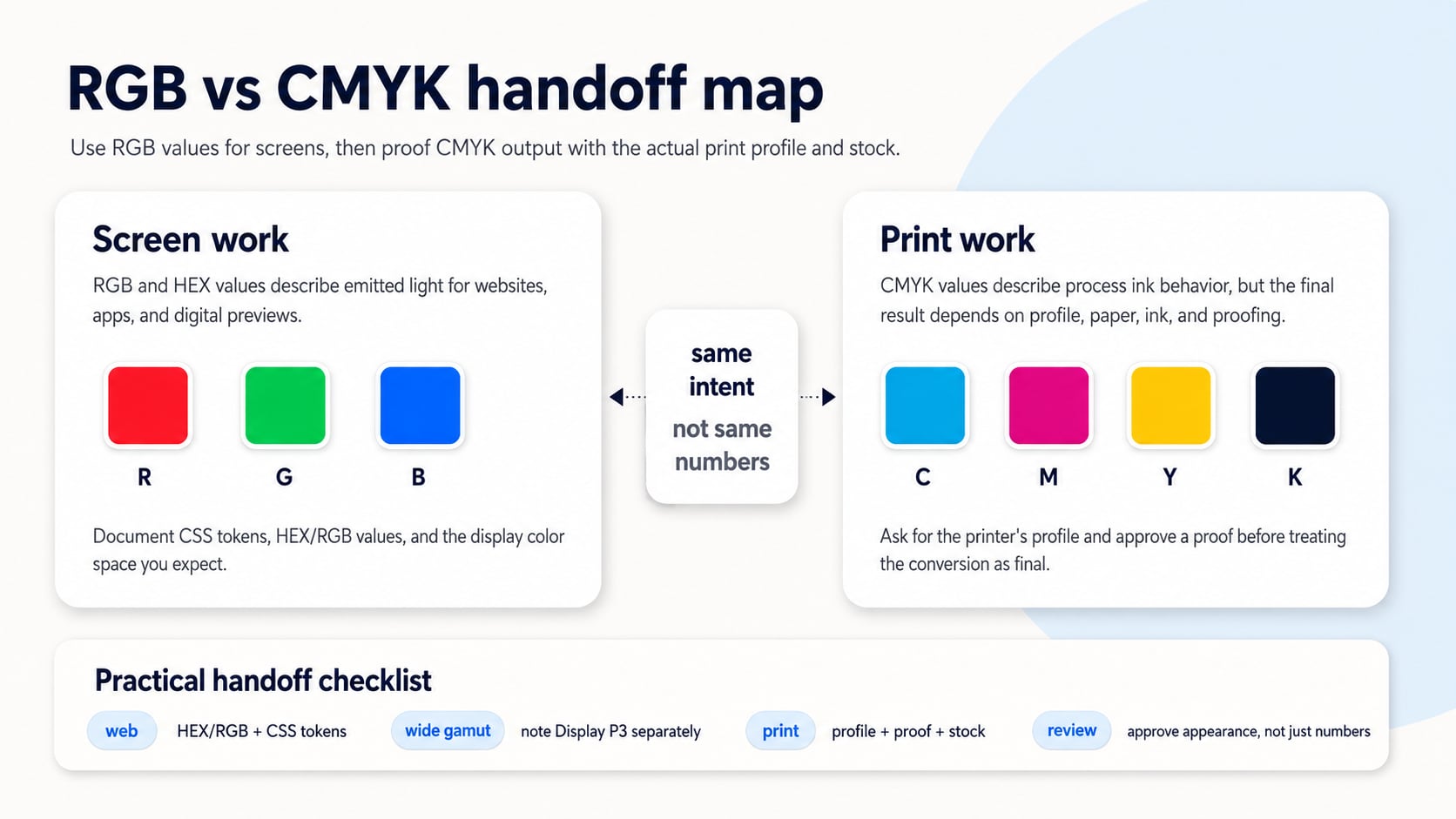
RGB is best for websites, apps, screens, and CSS because it describes emitted light. CMYK is used for process printing because it describes ink channels, but final print color depends on the printer profile, paper, ink, and proofing workflow.
RGB vs CMYK for web and print is less about choosing a winner and more about choosing the right handoff for the medium. Screens emit light. Print absorbs and reflects light through ink and paper. That difference changes how a color should be stored, reviewed, and approved.
The common mistake is treating a HEX value, an RGB triplet, and a CMYK recipe as if they were the same promise in three costumes. They are not. A good color system records the digital value, the intended appearance, the print-production requirements, and the proofing step that confirms the result.
RGB and CMYK Solve Different Problems
RGB starts from red, green, and blue light. It is the practical model behind web colors, app interfaces, CSS color values, design tokens, display previews, and screenshots. HEX values are a compact way to write RGB-style screen colors, which is why they are common in web design and development.
CMYK starts from cyan, magenta, yellow, and black process inks. It belongs to print production, where the result is affected by the press, ink, paper stock, print profile, finishing, lighting, and proofing process. A CMYK value without that context is not a complete production specification.
The Difference in One Table
| Question | RGB for web and screens | CMYK for print |
|---|---|---|
| What does it describe? | Emitted light from a screen or display color space. | Process ink channels used by print production. |
| Where is it useful? | Websites, apps, CSS, design tokens, product UI, digital previews. | Print files, packaging, brochures, signage, proofs, press-ready artwork. |
| Common notation | HEX, rgb(), color(srgb ...), Display P3 values, design-token values. | CMYK percentages tied to a print profile and production process. |
| What can go wrong? | Colors can exceed a target screen gamut or vary by display and settings. | Bright RGB colors may dull or shift when converted to ink and paper. |
| Best review step | Check the value in the intended digital color space and UI context. | Ask for printer requirements, convert with the right profile, and approve a proof. |
Do Not Convert Blindly
A quick RGB-to-CMYK conversion can be useful for exploration, but it should not be treated as a final print decision. The right CMYK mix depends on the printer's profile and the physical production setup. Coated paper, uncoated paper, newsprint, digital press output, and offset printing can all change the practical answer.
This is why the print vs screen color guide treats print handoff as a workflow, not a single formula. Use Hue Codex to document the screen-facing value clearly, then hand print production the context needed to make and proof the printed result.
A Practical Handoff Workflow
- Record the screen value first: HEX, RGB, CSS token name, and any expected screen color space.
- Use the color converter to inspect related screen formats such as RGB, HSL, OKLCH, LAB, and XYZ.
- Check whether important screen colors fit the target digital gamut before export or documentation.
- For print, ask the printer or production partner for the correct CMYK profile and file requirements.
- Convert and proof in the production workflow, then approve the printed appearance rather than only the CMYK numbers.
For screen documentation, the Hue Codex color converter is useful for keeping a digital source color readable across CSS, design tokens, and documentation. If a color is very saturated, the gamut checker can help you see whether it fits common digital gamuts before you start talking about print.
What to Put in Brand or Design-System Notes
A mature color note separates screen values from print requirements. It does not pretend that one number set controls every medium. Use a short table or token note that names the source color, the screen value, the print caveat, and the approval path.
| Field | Example | Why it matters |
|---|---|---|
| Role | Brand accent / primary action | Explains where the color should be used. |
| Screen value | #2563EB | Gives designers and developers a stable digital value. |
| Screen note | Use for CSS tokens and UI states after contrast review. | Prevents the color from becoming decorative only. |
| Print note | Convert through the printer's requested CMYK profile and approve proof. | Avoids presenting an unverified CMYK recipe as final. |
| Approval note | Approve appearance under the intended paper, ink, and lighting conditions. | Keeps the decision tied to the actual output. |
When Wide-Gamut RGB Changes the Conversation
Modern CSS and displays can work beyond old assumptions about sRGB-only color. That is useful for digital products, but it does not erase the need for print proofing. A color that looks vivid in a wide-gamut screen workflow still needs a separate print review before it becomes packaging, stationery, signage, or a brochure color.
The safest wording is specific: this value is the web token, this color space is the digital target, and this print output must be proofed through the production profile.
Common Mistakes
- Sending a HEX value to a printer and assuming it is enough for press output.
- Publishing a CMYK conversion without naming the print profile or proofing workflow.
- Using a screen screenshot as print approval.
- Assuming bright RGB blues, greens, and neons will survive unchanged in CMYK.
- Treating CSS color syntax as a substitute for print production requirements.
- Forgetting to document which value is authoritative for web, product UI, print, and brand review.
FAQ
Should websites use RGB or CMYK?
Websites should use RGB-style color values such as HEX, rgb(), HSL, OKLCH, or other CSS-supported color notation. CMYK is not the normal working model for web UI colors.
Should print files use CMYK?
Often, yes, but the exact requirement depends on the printer, press, stock, and workflow. Ask for the production profile and proofing requirements before treating a conversion as final.
Can I convert RGB to CMYK in Hue Codex?
Hue Codex can help you document and inspect screen color values, but production CMYK should be handled with the printer's profile and proofing workflow rather than a generic final number.
Why does a printed color look duller than the screen version?
Screens emit light and can show very saturated colors. Print depends on ink and paper, so some vivid screen colors may need adjustment, proofing, or a different production method.
Final Takeaway
RGB vs CMYK for web and print is a handoff question. Use RGB, HEX, and CSS values for screens. Use CMYK inside a real print workflow with the right profile, stock, and proof. As a next step, document one important brand color with a screen value, intended color space, print caveat, and proofing requirement instead of forcing one number set to do every job.
Spot an issue or want a color topic covered?Send a correction or request a post.