Color guide
What is hue in color?
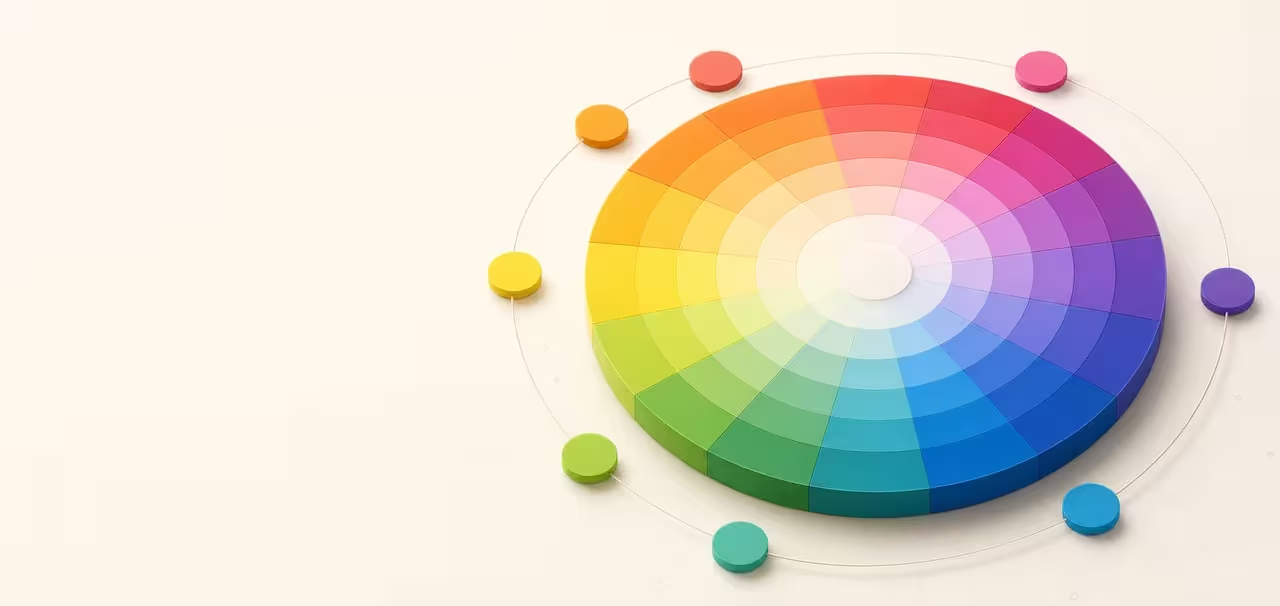
In color, hue means the color family or color direction a color belongs to: red, orange, yellow, green, cyan, blue, violet, magenta, and the continuous positions between them. Hue is the part of a color that helps you name what kind of color it is before you judge how light, dark, vivid, or muted it feels.
Short answer
Hue is the color family of a color, such as red, orange, yellow, green, blue, violet, or a position between those families. In HSL, HSV, HWB, LCH, and OKLCH, hue is usually written as an angle from 0 to 360 degrees around a color wheel.
- Hue means the color family; saturation, chroma, lightness, value, and contrast determine how that hue behaves.
- Two colors can share the same hue and still look very different if one is lighter, darker, more vivid, muted, transparent, or placed on a different background.
- Hue angle is useful for color wheels and CSS, but the same numeric angle can look different across HSL, LCH, and OKLCH because those models organize color differently.
- Hue relationships help generate palettes, but accessibility depends on luminance contrast and should be checked separately.
Standards status
Badges mark whether this guide relies on stable standards, draft or preview specifications, primary or model sources, Hue Codex guidance, approximations, or browser-dependent behavior.
Hue definition in plain language
Hue is the part of color perception that answers the question "what kind of color is this?" If a color feels red, yellow, green, cyan, blue, violet, or somewhere between those families, you are describing its hue. That is why hue meaning is often explained as color family, color direction, or position on a color wheel.
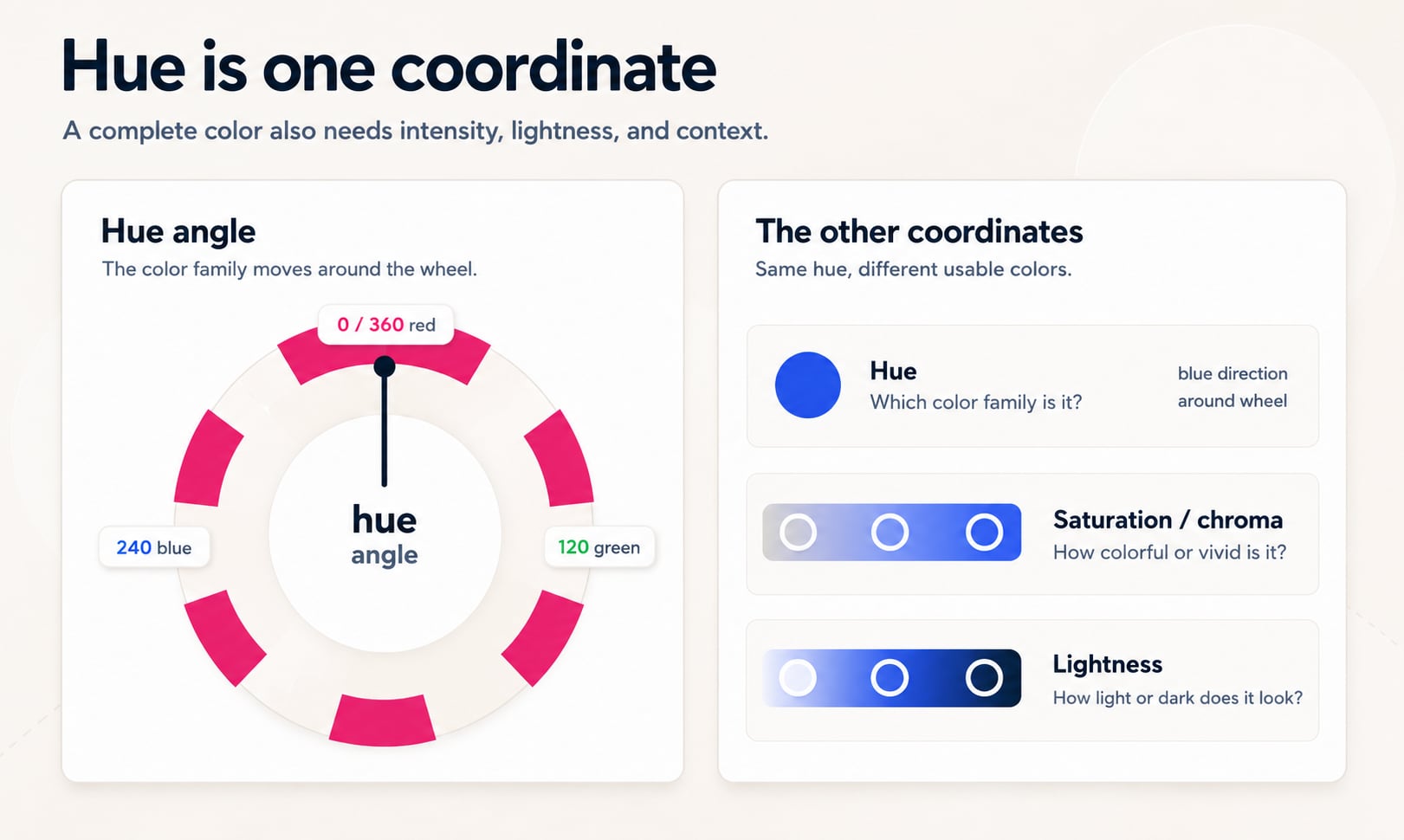
A complete color still needs more than hue. The same blue hue can become navy, sky blue, powder blue, electric blue, slate blue, or gray-blue depending on lightness, saturation, chroma, and context. Hue gives the family; the other dimensions give the usable color.
Hue is the perceived color family of a color and, in many color spaces, the angular coordinate that locates that family around a color wheel.
Hue color examples
Hue is easier to understand with examples because the hue stays recognizable even when the final color changes. A red hue can appear as pink, crimson, burgundy, or pale coral. A blue hue can appear as navy, sky blue, royal blue, or a muted slate blue.
The hue tells you the color family. The other channels decide whether that family becomes a soft background, a readable text color, a warning accent, a chart series, or a strong brand color.
| Example color | Hue family | What changes the final color |
|---|---|---|
| Pink, crimson, burgundy | Red hue | Lightness, chroma, saturation, and context make the red family feel soft, bright, or dark. |
| Lemon, gold, mustard | Yellow hue | Different lightness and chroma values make the yellow family feel clean, warm, muted, or earthy. |
| Mint, emerald, forest green | Green hue | A shared green direction can become pale, vivid, dark, cool, or warm depending on the other channels. |
| Sky blue, royal blue, navy | Blue hue | The same blue family can become light, saturated, dark, or subdued while keeping a blue direction. |
Hue as an angle on the color wheel
Digital color tools often turn hue into a circular scale from 0 to 360 degrees. The circle wraps, so 0 degrees and 360 degrees point to the same red direction. Moving around the wheel changes the hue family while other channels can hold vividness or lightness steady.
The familiar HSL color wheel places red near 0 degrees, yellow near 60 degrees, green near 120 degrees, cyan near 180 degrees, blue near 240 degrees, and magenta near 300 degrees. These landmarks are approximate for practical design work, not universal color science laws.
| Hue angle | Common family | CSS example | Design cue |
|---|---|---|---|
| 0 or 360 | Red | hsl(0 100% 50%) | High energy, error states, urgency, strong brand accents |
| 30 | Orange | hsl(30 100% 50%) | Warmth, activity, callouts, friendly emphasis |
| 60 | Yellow | hsl(60 100% 50%) | Attention, caution, highlights, optimistic accents |
| 120 | Green | hsl(120 100% 40%) | Success, growth, availability, environmental cues |
| 180 | Cyan | hsl(180 100% 40%) | Freshness, data, technology, cool supporting color |
| 240 | Blue | hsl(240 100% 55%) | Trust, links, primary actions, product systems |
| 270 | Violet | hsl(270 80% 55%) | Creativity, premium tone, editorial accents |
| 300 | Magenta | hsl(300 80% 50%) | Expressive emphasis, playful accents, contrast against greens |
Hue angles are circular, so the shortest movement from 350 degrees to 10 degrees is 20 degrees through red, not 340 degrees backward through the whole wheel.
Hue is not the same as color
People often use "hue" and "color" interchangeably in casual conversation, but they are not identical in design systems, CSS, or color science. A color is the complete result: hue plus the other channels that determine brightness, vividness, opacity, and how it appears on a display or surface.
For example, pink and dark red can share a red hue direction, but they do not function the same way in a user interface. One may be soft enough for a badge background; the other may be strong enough for a danger button or chart highlight.
Hue
The family or direction: red, orange, yellow, green, cyan, blue, violet, magenta, or a point between them.
Color
The full specification, such as #4169E1, rgb(65 105 225), hsl(225 73% 57%), or oklch(0.56 0.188 266.4).
Palette role
The job assigned to a color, such as primary action, surface, text, border, warning, success, danger, data series, or brand accent.
Hue vs saturation, chroma, lightness, and value
Hue is easiest to understand when it is separated from the channels people confuse it with most often. Saturation and chroma describe how colorful or intense a color is. Lightness and value describe how light or dark it is. Contrast describes the difference between two colors placed together.
This distinction matters because palette decisions often fail when hue is treated as the whole color. A brand may choose a blue hue, but the usable design system still needs readable blues, disabled blues, hover blues, pale backgrounds, dark text colors, and accessible pairings.
| Concept | What it answers | Example question |
|---|---|---|
| Hue | Which color family is it? | Is this more blue, green, yellow, red, or violet? |
| Saturation | How vivid is it in HSL or HSV-style models? | Is this blue intense or washed out? |
| Chroma | How far is it from neutral in perceptual models such as LCH or OKLCH? | How colorful is this blue at this lightness? |
| Lightness | How light or dark does it appear? | Is this blue closer to white or black? |
| Value | How bright is it in HSV-style picking? | Is this color near full brightness? |
| Contrast | How distinguishable are two colors together? | Can this text be read on this background? |
How hue works in HSL, HSV, HWB, LCH, and OKLCH
Several color models expose hue because it is useful for humans. HSL and HSV are cylindrical views of sRGB, which makes them familiar in design tools and CSS. HWB uses hue with whiteness and blackness, which can feel intuitive when mixing lighter or darker variants.
LCH and OKLCH also use a hue angle, but their geometry is based on perceptual lightness and chroma rather than simple RGB channel relationships. That makes OKLCH especially useful for modern UI color scales, although its hue angles should not be treated as identical to HSL hue angles.
HSL hue
Useful for readable CSS and quick manual adjustments. It pairs hue with saturation and lightness.
HSV hue
Common in visual color pickers. It pairs hue with saturation and value, which maps well to picker squares.
HWB hue
Pairs hue with whiteness and blackness, making it easy to think about tint-like and shade-like changes.
LCH hue
Uses lightness, chroma, and hue based on CIE Lab, making the hue part of a more perceptual coordinate system.
OKLCH hue
Uses Oklab lightness, chroma, and hue; often more predictable for modern UI scales and color interpolation.
If you convert a color from HSL to OKLCH, expect the hue number to change. The visible color can remain the same while its coordinates differ because each color space organizes color differently.
When hue is undefined or powerless
Neutral colors such as white, black, and true grays do not have a meaningful hue because they have no chromatic direction. A gray can be stored with a hue number in some systems, but changing that hue will not visibly matter until saturation or chroma is raised above neutral.
This is why a color picker may remember the last hue while a selected swatch appears gray. The stored hue can be useful for future edits, but the current visible color is achromatic.
White
No visible hue because all sRGB channels are at their maximum in neutral white.
Black
No visible hue because there is no lightness for a hue direction to express.
Gray
No visible hue when red, green, and blue channels are equal, or when chroma is effectively zero.
Hue relationships used in color palettes
Color harmonies are built from hue relationships. They are helpful starting points because they describe where colors sit relative to one another around a wheel. They do not automatically produce finished palettes, but they give structure to exploration.
A production palette usually needs hue relationships plus role assignment, neutral colors, state colors, contrast checks, and enough lightness range for backgrounds, borders, text, and interactive states.
| Relationship | Hue pattern | Best use |
|---|---|---|
| Monochromatic | One hue with varied lightness, saturation, or chroma | Focused UI systems, brand consistency, subtle illustrations |
| Analogous | Neighboring hues | Calm palettes, product surfaces, editorial design, gradients |
| Complementary | Opposite hues, about 180 degrees apart | High energy accents, before/after states, strong visual contrast |
| Split complementary | One base hue plus two near its opposite | More flexible contrast than a strict complement |
| Triadic | Three hues spaced around the wheel | Charts, playful brands, illustrations, feature categories |
| Tetradic | Four hues in two complementary pairs | Expressive systems that need careful role control |
Hue, accessibility, and readability
Hue alone does not make text readable. Accessibility depends heavily on luminance contrast between foreground and background. Two colors can be different hues and still fail contrast if they have similar lightness.
Hue also should not be the only way information is communicated. Error states, success states, charts, and badges should use labels, icons, shapes, position, or text in addition to color differences so the meaning survives color-vision differences and low-quality displays.
Check contrast separately
A blue button and white text may pass, while a yellow button and white text may fail even if both are vivid.
Avoid hue-only meaning
Do not rely only on red vs green to explain status, profit/loss, validation, or chart categories.
Test real states
Hover, disabled, selected, warning, focus, and error colors all need their own readable pairings.
Hue in CSS and color roles
CSS can write hue directly in functions such as hsl(), hwb(), lch(), and oklch(). This makes hue useful in color roles because teams can document not only a final color value but also the logic behind related colors.
For durable systems, store final approved colors as tokens and document the hue strategy separately. A hue rotation can generate useful candidates, but final tokens should be checked for contrast, gamut, brand fit, and cross-device appearance.
Token naming
Use role names such as color.primary, color.accent, color.success, and color.surface rather than hue names alone.
CSS adjustment
HSL is quick for small hue rotations; OKLCH is often better when lightness and chroma consistency matter.
Fallback thinking
Modern color syntax is powerful, but production systems may still need sRGB fallbacks depending on audience support.
Common hue mistakes
Most hue mistakes come from treating the color wheel as a finished answer. A harmony can suggest promising hues, but it cannot decide whether a color is readable, in gamut, on brand, emotionally appropriate, or usable across light and dark modes.
Mistake: choosing only by color name
A "blue" can be calm, electric, cold, corporate, playful, dark, pale, or inaccessible depending on its other channels.
Mistake: assuming complements always work
Complementary hues can vibrate visually or compete for attention unless lightness and chroma are tuned.
Mistake: using hue as contrast
Hue difference is not the same as luminance contrast. Always test foreground and background pairs.
Mistake: expecting one angle to mean the same everywhere
HSL, LCH, and OKLCH hue angles are related ideas, but the same number does not guarantee the same perceived hue.
How Hue Codex uses hue
Hue Codex treats hue as one coordinate in a larger color workflow. The tools use hue to generate harmonies, rotate palettes, inspect CSS color functions, build tints and shades, and explain how a seed color can become a practical production palette.
The important step is connecting hue to decisions: which colors become primary actions, which become semantic states, which need neutral support, and which foreground/background pairs meet readability goals.
Sources and further reading
This guide is written from practical design-system usage and cross-checked against primary web color and accessibility references.
Try it in Hue Codex
Use the free tools to test the idea immediately: pick a color, convert it, generate harmonies, build tints and shades, check contrast, and export practical CSS or palette data.
Quick answers
What is hue in color? FAQ
What is hue in color?
Hue is the perceived color family of a color, such as red, orange, yellow, green, cyan, blue, violet, or magenta. In many digital color models, hue is also the angle that locates that family around a color wheel.
Is hue the same as color?
No. Hue is one part of a color. A complete color also needs channels such as saturation, chroma, lightness, value, alpha, and contrast context.
What is hue in HSL?
In HSL, hue is the first channel and is commonly written as an angle from 0 to 360 degrees. It sets the color family, while saturation sets intensity and lightness sets how light or dark the color is.
Why is hue measured in degrees?
Hue is measured in degrees because many color models arrange hues around a circular color wheel. Degrees provide a convenient way to describe positions and rotations on that circle.
What is the difference between hue and saturation?
Hue describes the color family. Saturation describes how vivid or washed out that color is in models such as HSL and HSV.
What is the difference between hue and lightness?
Hue describes whether a color is red, yellow, green, blue, or another family. Lightness describes how close the color appears to white or black.
Can white, black, or gray have a hue?
Neutral white, black, and gray do not have a meaningful visible hue because they are achromatic. Some tools may store a hue value for editing, but changing it has no visible effect until saturation or chroma is added.
Do HSL and OKLCH use the same hue angles?
No. HSL and OKLCH both use hue angles, but they organize color in different spaces. A visible color can keep the same appearance while its hue number changes during conversion.
Does hue determine accessibility?
No. Hue can help separate categories, but accessibility depends on contrast, labels, focus states, and not relying on color alone to communicate meaning.
How do designers use hue?
Designers use hue to create palette direction, color harmonies, brand personality, semantic states, chart categories, gradients, and visual hierarchy. They then adjust lightness, chroma, saturation, and contrast to make the colors usable.